
FruitStory Create with FruitStory
AI Dog Story Video Generator
Create an original dog story video with AI: an adventure, a comedy or a heartfelt moment. Describe your character and dialogue, then bring the scenes to life.
The story in pictures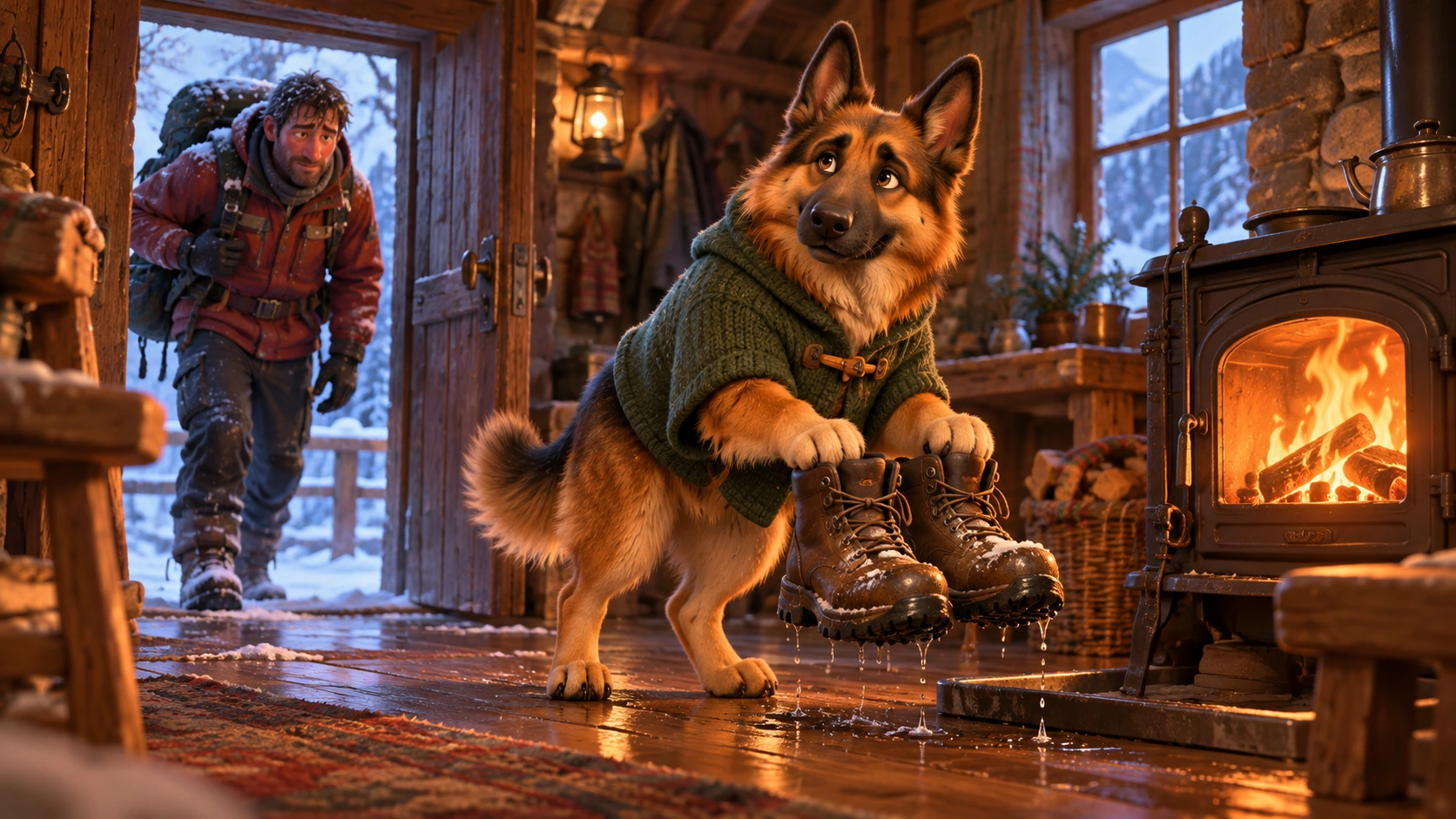
An original scenario you can adapt
The keeper of the boots
A mountain refuge with a wet entrance, a stove and neatly arranged boots.
A shepherd dog in a small coat and a cold hiker.
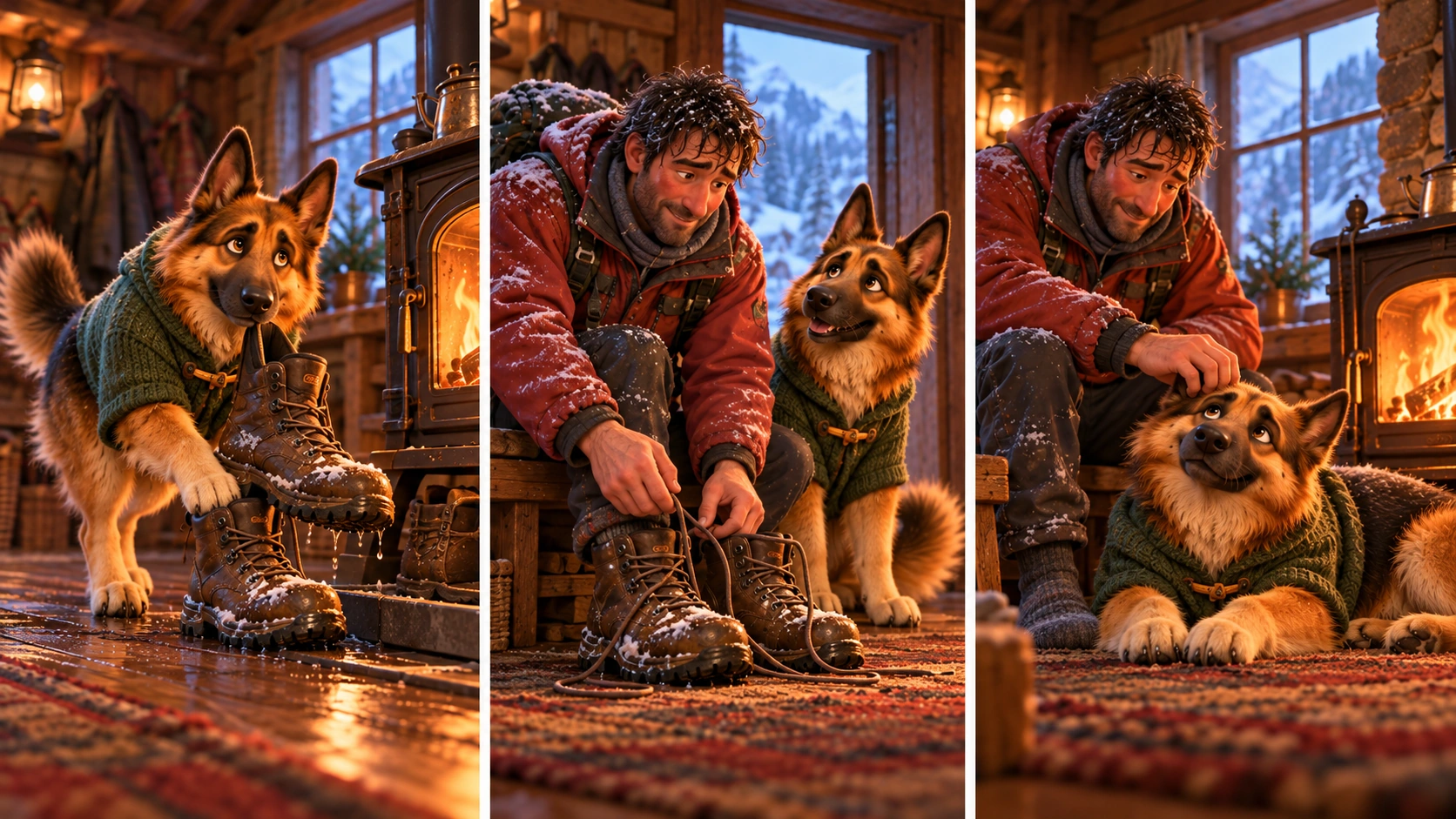
From the first action to the final image
The dog moves a pair of boots closer to the stove.
The hiker arrives and finds the laces carefully undone.
The dog lies beside the warmth, waiting for a pat.
One way the dialogue could begin
“Were you waiting for me?”
The details that shape the scene
Decide whether the dog behaves naturally or as an anthropomorphic character.
Keep that choice consistent through the same story.
Check paws, contact with the boots and the scale of the stove.
The details that shape the scene
Write an action that makes sense without dialogue
The boots connect arrival, care and recognition. Give the dog a simple objective instead of stacking several actions into one shot. The final pause lets the viewer understand the relationship.
To start from a photograph of your own dog, use the separate image-to-video workflow with a clear source image. This page focuses on invented stories; resemblance, motion and small details still need checking in the output.
Describe your idea
A place, a character, an action. After signing up, continue with your idea and adapt the story to your intention.
Choose your workflow
Express automates story production. In Studio, prepare references and review images before animating them.
Review and start creating
Choose available options and check the displayed cost before starting. Then review scenes, voices and subtitles.
Before you start
What situation works for an AI dog story?
Start with a simple action: finding a toy, waiting for a friend or delivering an object. Add an unexpected event that changes the dog’s behaviour.
How can I make a dog expressive without lots of dialogue?
Describe its gaze, head tilt and posture. Give the reaction room to read, and check the paws and contact with props in the result.
Does the button generate a video immediately?
It saves your idea in this tab and opens signup. Creation starts after you choose and launch it in the application. Existing signed-in members continue in the editor.
FruitStory
More ideas to explore
AI Cat Story Video Generator
Create AI cat story videos with expressive characters, dialogue and a world of your own. Explore an original example, then start your cat’s next adventure.
AI Character Generator for Stories
Create an AI character for your videos: face, outfit, silhouette and reference images. Develop a recognisable look, then bring the character into your story.
AI Video Continuity: Keep Scenes Consistent
Plan continuity between AI video scenes. Track props, lighting and screen direction with a practical dressing-room example and a shot checklist.