What is about to disappear
The projectionist prepares to close. Keys, seats and light establish a situation without a lengthy explanation.
AI short films
A small gesture can carry a whole story. Shape a short narrative, establish your characters and choose the shots that move their experience forward.
Explore the example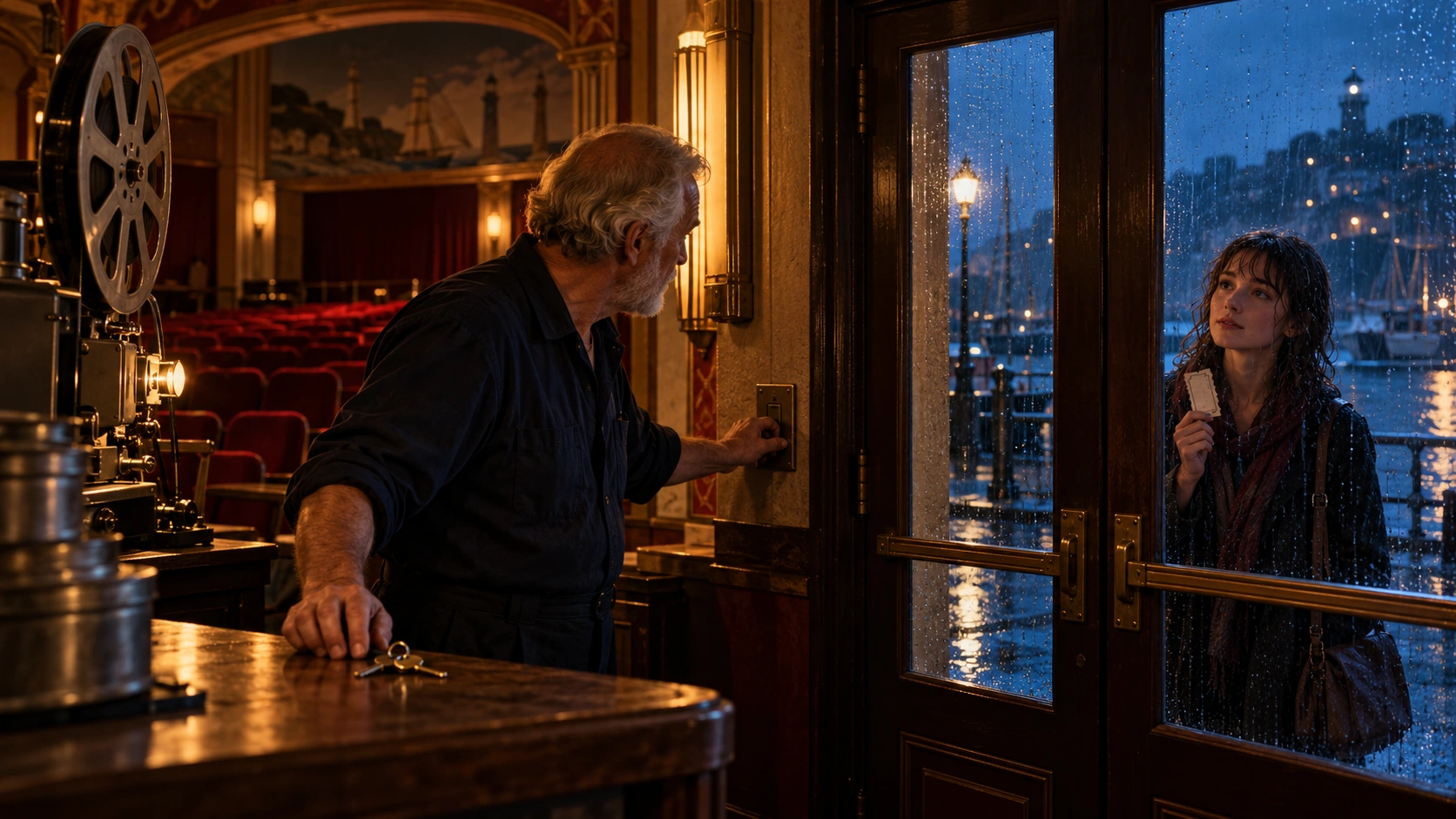
A creative direction to explore, with no associated generated video.
Suggested shots · written example
The cinema is closing for the last time. A young woman arrives in the rain with an old ticket. The projectionist puts down his keys. He has not switched off the lights yet.
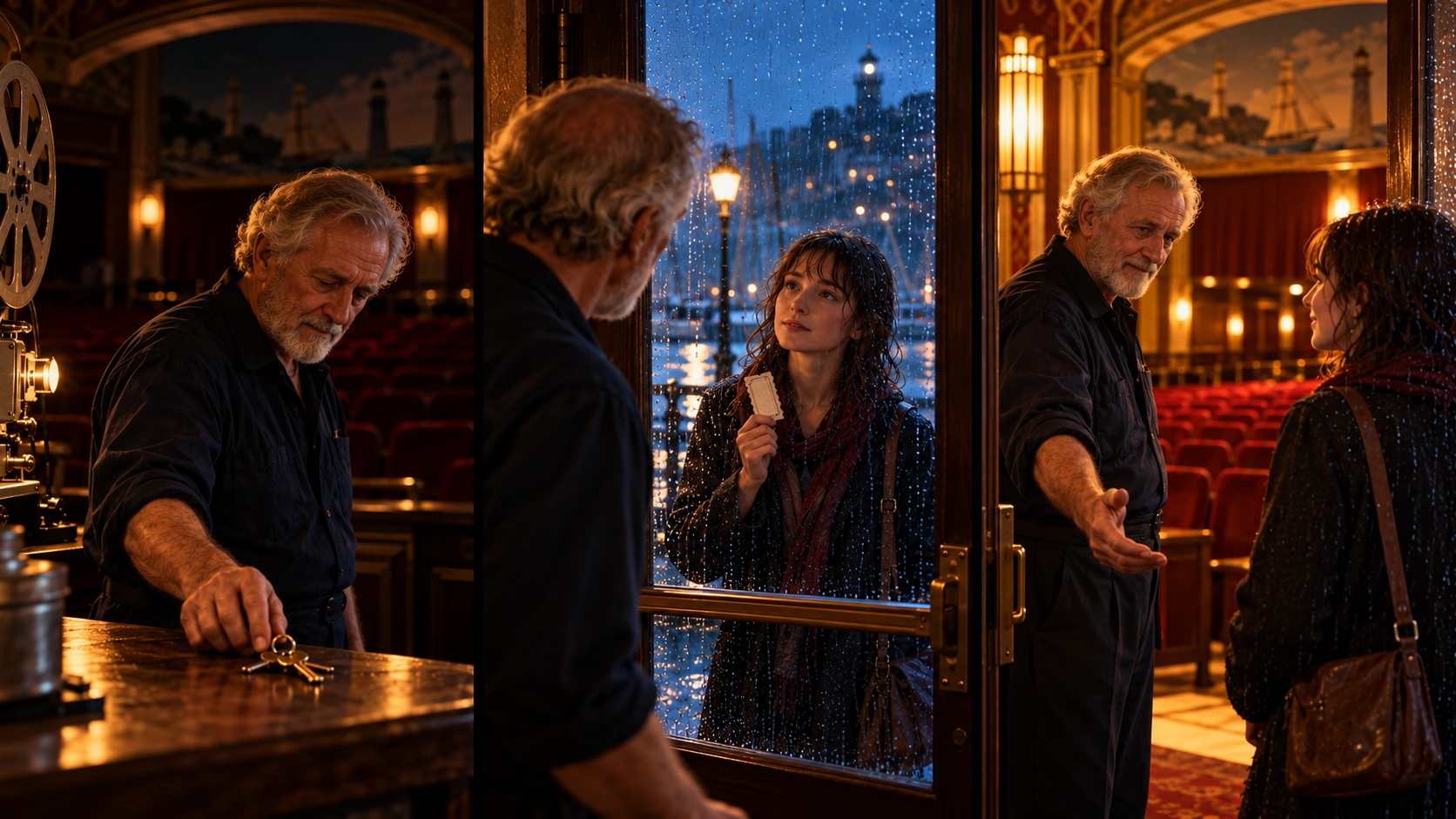
The projectionist prepares to close. Keys, seats and light establish a situation without a lengthy explanation.
The young woman appears behind the door. Focus on the gesture that interrupts closing rather than adding camera effects.
Show an answer through action: picking up the keys, opening the door or turning on a light. Dialogue can add what matters.
One possible exchange
“Are you closing already?”
“I thought so. Come in.”
A reference worth watching
A shot of a newspaper delivers information without extra dialogue. Choose the object in your story that deserves that attention.
An openly licensed film excerpt used to study staging. This is not a result generated with FruitStory.
One story, different points of view
Write what your character wants and what gets in the way. Comedy, drama and absurd stories can each follow their own logic.
Keep references for locations, outfits and props. Studio lets you work on images and animation; choose your workflow in the app.
Work on a short narrative and review each result. Duration options depend on the workflow and plan; this page does not promise a continuous feature film.
FruitStory
The style is preselected. After signing up, review your idea and choose the available options before starting generation.
See plans and generation terms ↗No. The form keeps your idea and opens sign-up. You then find the project in the editor and choose the options before generation.
Yes. Include the language and register in your idea, then check the editor options. The page language and dialogue language are separate choices.
FruitStory
FruitStory
Keep your idea and choose what happens next after signing up.