
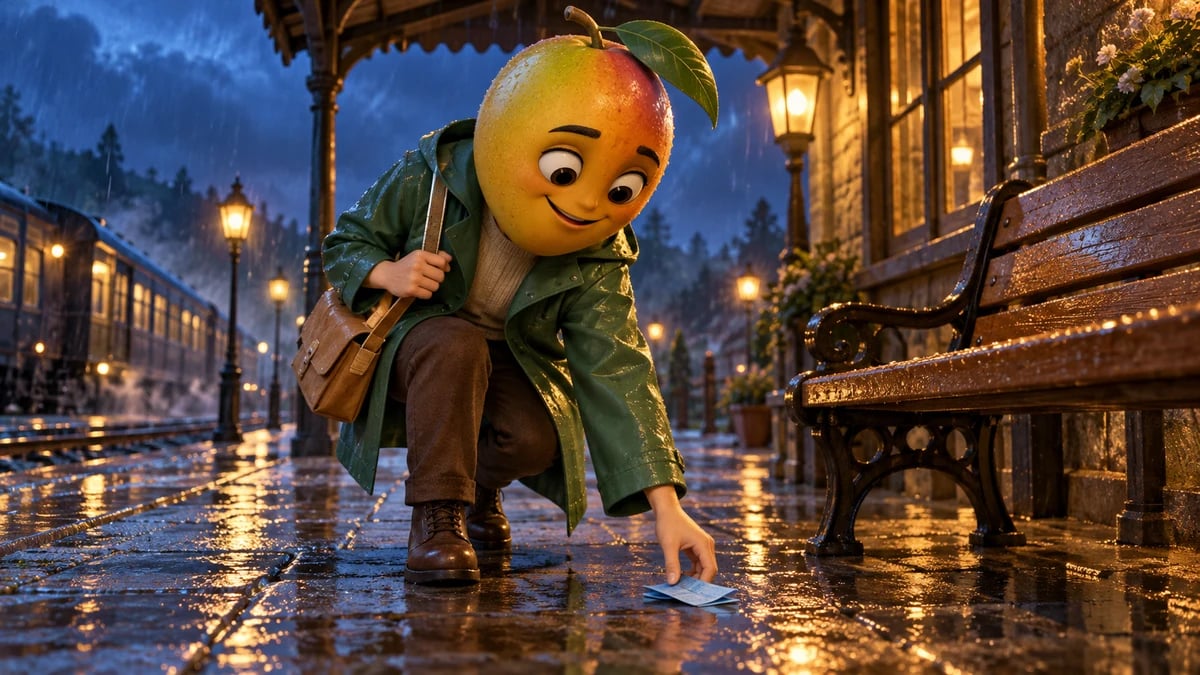
Use a continuity sheet before the next scene
A short reference sheet gives you something concrete to compare with each image. Track the cast and props as well as the scene prompt; an object can be missing on purpose and should appear only when the action explains it.
Character: adult mango head on a human-like body.
Wardrobe: green raincoat, tan shoulder bag across the chest.
Location: the same station concourse, bench and ticket counter.
Key prop: blue paper ticket with one folded corner.
Scene 1: ticket absent from his hands; open wallet.
Scene 2: ticket recovered and held in his left hand.
Scene 3: the same ticket raised toward the counter.
Review: head shape, coat, bag, ticket colour and hand placement.
Reuse the descriptions and available images, then compare the actual results. References can help a recurring cast, but they do not guarantee identical faces, clothing or voices.
Character reference checklist and examples →For a ready-to-adapt scene description, use the fruit video prompt examples. Each example separates the starting image, movement and dialogue so you can prepare the next shot.
Prepare and review individual scenes in Studio
- Write a goal and a scene outline. Name your lead, what they want and what changes by the end. Plan the moments your story needs, with actions and dialogue suited to its characters. A twist, moral or fixed number of scenes is not required.
- Prepare the cast and references. Choose the fruit type, clothing and important props. Save the available character references and select the characters needed in each studio scene.
- Review images in Studio before animation. In Studio, check the character appearance and prop placement in each image, then edit the video prompt and generate its clip. Each generation button shows its cost. Express creates the complete story automatically after launch, without this scene review or a quote screen.
- Watch the story and record the ending. Review the dialogue, captions and continuity in the output. For another episode, keep your reference sheet and note where the character and important prop ended up.
Continue the story or choose a different format
Keep a brief episode note: what was resolved, what the lead now holds and what they will do next. For this passenger, the ticket is recovered; a later episode could follow his search for the platform. Reuse the references and review the new shots.
Frequently asked questions
What does an AI fruit story generator help me prepare?
FruitStory's story generator starts from an idea. For individual scenes, the studio lets you select character references, edit image and video prompts, and generate clips. Use your written outline to guide that work, then review the result. A scene brief does not guarantee an identical render.
How should I split a fruit story into scenes?
Give each scene one main action and write what is different at its end. Keep track of who is present, what they hold and where they are. The worked ticket-counter outline on this page shows a missing object, its recovery and the return to the counter.
Can I reuse the same characters in another episode?
You can save character references and select cast members for studio scenes. Keep the same descriptions and review each generated image. Reference reuse can help continuity, but faces, clothing, voices and props can still vary.
Does the welcome bonus cover a complete fruit story video?
No. The 500-credit welcome bonus covers one image. Creating an account does not require a credit card. Video generation and further images need additional credits. Consult the costs page; Studio shows each image or clip cost, while Express has no quote screen before launch.
What should I check before rendering an English story?
In Express, choose English and describe your intended story before launching automatic generation; check the generated speech and captions afterwards. In Studio, write the English line in the video prompt and review the image before generating its clip. Check the spoken language and the actual words after generation.
How do I choose the format for my story?
Start with your publication destination and check the format offered in the app. A vertical story needs characters, props and captions to fit the mobile frame. Check the selected resolution and usage terms as well as the generation cost.
Start with a scene you can explain
Create an account to prepare your project. The welcome bonus covers one image. Consult the credit costs, then choose Studio for individual scenes or Express for automatic story creation.
Plan my story →Workshop · written example to adapt
A fruit story that connects from scene to scene.
Repeating a character description does not create a sequence. Move the situation forward while keeping the useful visual anchors. This example follows the mango’s ticket illustrated on this page.
The thread of the story
The mango searches under the bench for her ticket. She finds it, then notices another passenger’s name. She catches up with the elderly man who helped her while her own train is about to leave. Choose her decision: returning the ticket could begin a comedy, an encounter or a new problem.
The continuity notes
Keep the same mango, reference outfit, blue ticket and platform. Each image shows its current state: ticket on the ground, in her hand, then offered to its owner. Record who holds the prop and who knows whose ticket it is; do not show the resolution before it happens.
Start with an editable idea above, then choose the dialogue language and register in your project. Studio lets you prepare images scene by scene; Express starts from your idea. The number of scenes and the ending are yours to choose.
Prepare references for your recurring charactersPlan the details of your next scene
Practical examples to adapt to your own story.