
FruitStory Create with FruitStory
AI Cat Story Video Generator
Create AI cat story videos with expressive characters, dialogue and a world of your own. Explore an original example, then start your cat’s next adventure.
The story in pictures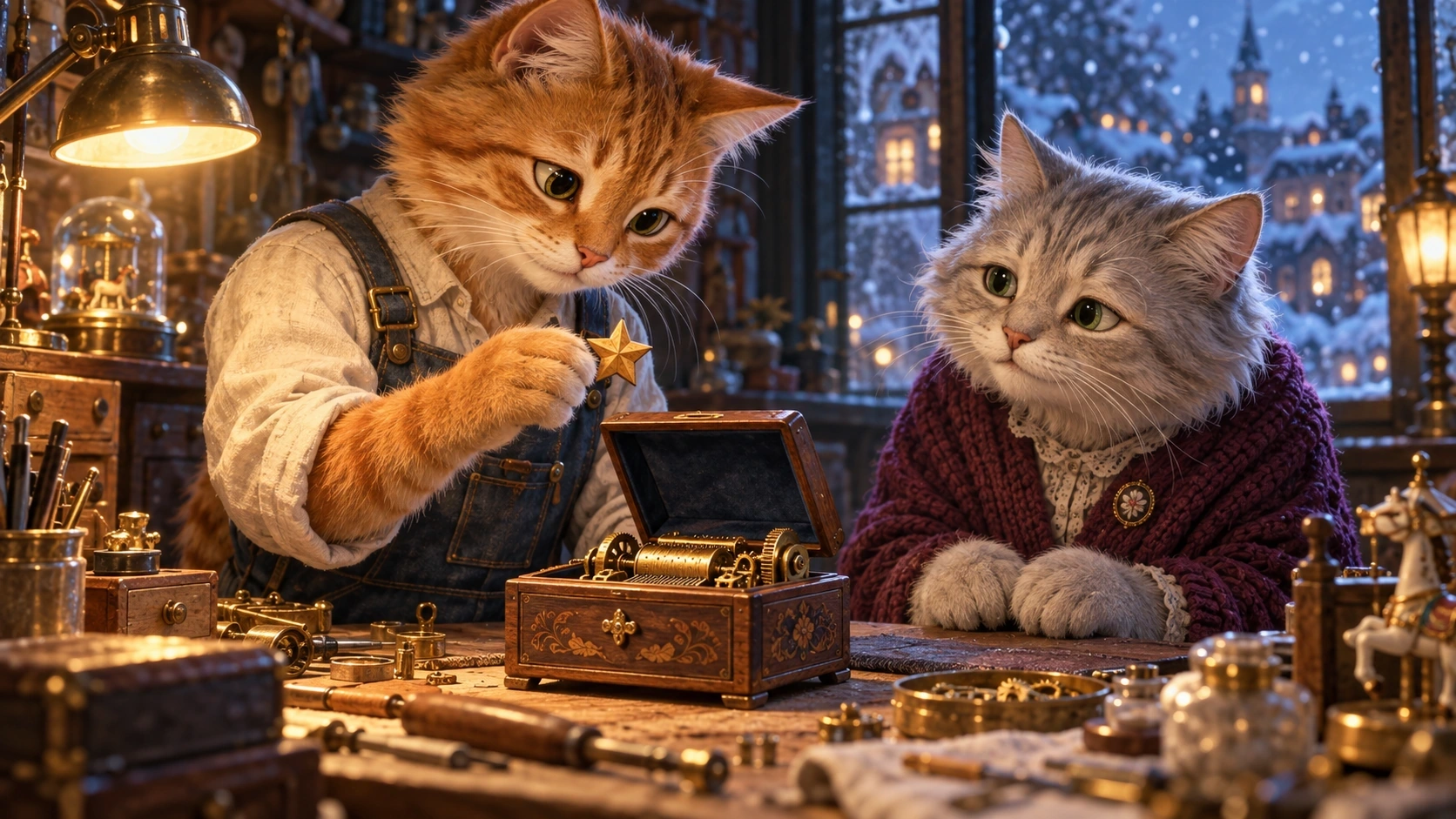
The details that shape the scene
A cat story needs more than a series of portraits
The repair gives the characters something to do together. Keep the music box recognisable, then let the customer’s reaction complete the scene. Changing costume and location in every shot would make the same story harder to follow.
Start with a simple paw movement and check the size of the object being held. A touching animal story can revolve around kindness and anticipation without an accident or an exaggerated disaster.
An original scenario you can adapt
The cat and the music box
A miniature repair shop on a snowy evening.
A ginger cat in overalls and an elderly grey cat.
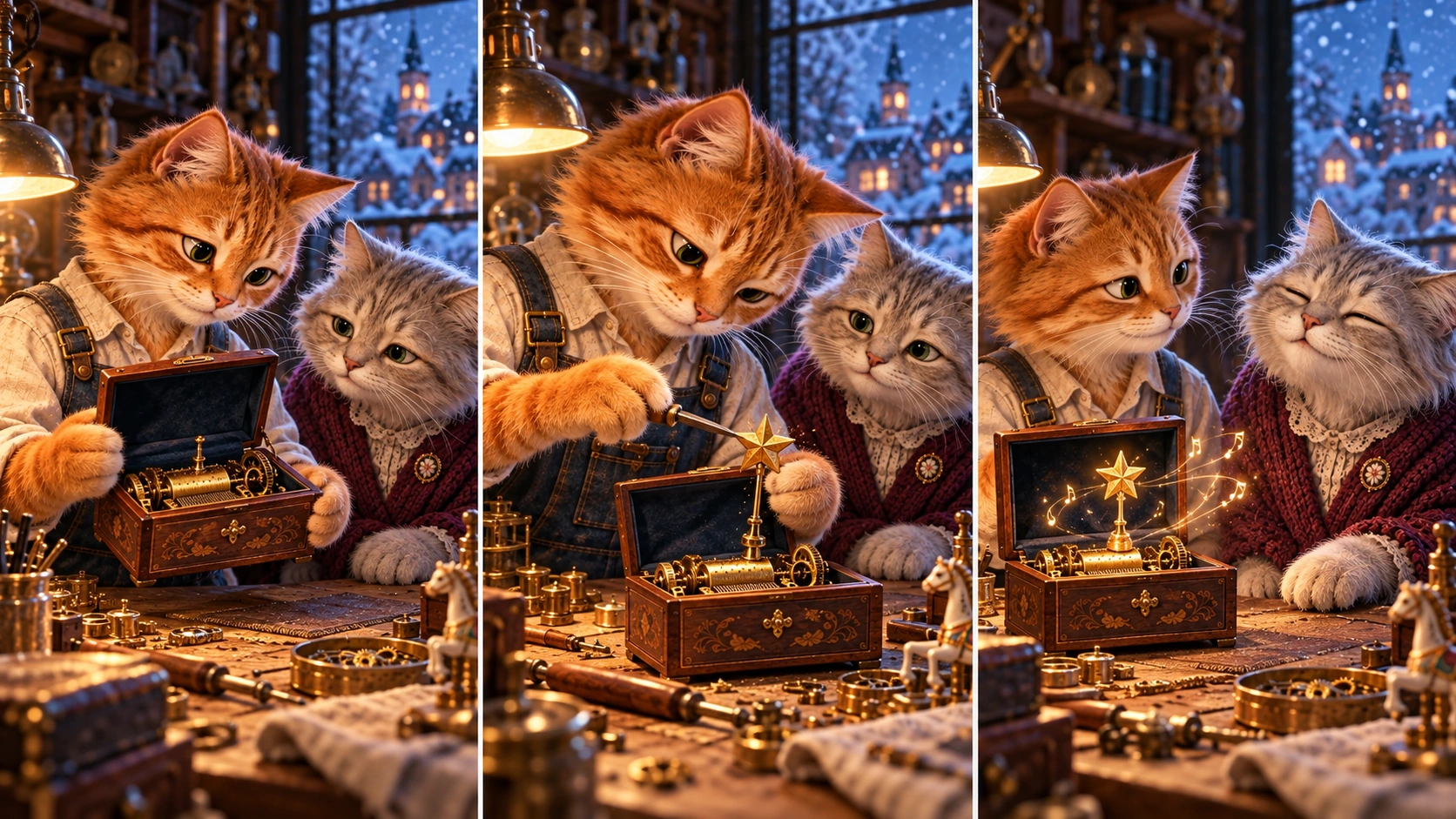
From the first action to the final image
The ginger cat receives a music box with its dancer missing.
He carves a small star and fits it to the mechanism.
The customer recognises the tune and rests her paw on the counter.
One way the dialogue could begin
“It doesn’t dance anymore.”
“The song is still there.”
The details that shape the scene
Keep the fur pattern, overalls and counter height consistent.
Inspect paws and small objects closely before animating the scene.
Let a helpful action carry the emotion instead of inventing a rescue claim.
Describe your idea
A place, a character, an action. After signing up, continue with your idea and adapt the story to your intention.
Choose your workflow
Express automates story production. In Studio, prepare references and review images before animating them.
Review and start creating
Choose available options and check the displayed cost before starting. Then review scenes, voices and subtitles.
Before you start
Can a cat story work without a voiceover?
Give the cat a visible goal, such as retrieving an object or reaching someone. Its eyes, paws and another character’s reaction can carry the scene.
How do I keep the cat recognisable across scenes?
Prepare a reference showing fur, eyes, size and clothing. Reuse those details and review the images, since generated features can still vary.
Does the button generate a video immediately?
It saves your idea in this tab and opens signup. Creation starts after you choose and launch it in the application. Existing signed-in members continue in the editor.
FruitStory
More ideas to explore
AI Dog Story Video Generator
Create an original dog story video with AI: an adventure, a comedy or a heartfelt moment. Describe your character and dialogue, then bring the scenes to life.
AI Animated Bedtime Story Maker
Create animated bedtime stories with AI: memorable characters, imagined settings and a reassuring ending. Adapt the story and dialogue to your audience.

AI Video Continuity: Keep Scenes Consistent
Plan continuity between AI video scenes. Track props, lighting and screen direction with a practical dressing-room example and a shot checklist.